HMI
Software
Posted on:
November 4, 2025CIMON Canvas 5.0.0, 5.1.0 Release Notes

5 minute read
Overview
The next generation of the Canvas HMI platform is here. This new 5.x platform, beginning with the foundational 5.0.0 release and its first minor update, 5.1.0, represents a significant leap forward. It has been re-architected to meet modern industrial challenges in connectivity, HMI design, and system performance.
This new era of Canvas is defined by reliability, usability, and expanded interoperability. This guide breaks down the most important innovations and improvements introduced across both releases.
Part 1: The Foundational 5.0.0 Release
Canvas 5.0.0 was the milestone release that established the new platform architecture. It introduced foundational improvements across the engineering environment, runtime performance, and system security.
1. Expanded Connectivity and Protocol Support
Canvas 5.0.0 expanded the communication stack, adding support for a broad range of PLCs, RTUs, and industrial controllers, making it easier than ever to integrate with diverse automation environments.
Newly Supported Protocols and Drivers:
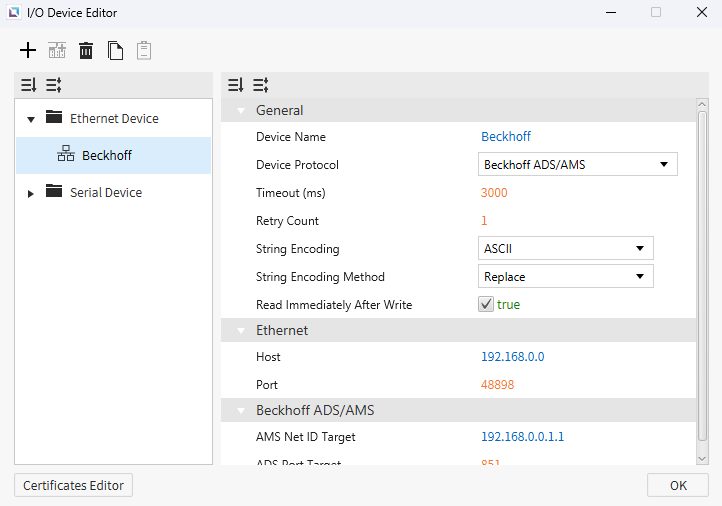
- Beckhoff ADS/AMS (Ethernet Client): Enables direct communication with TwinCAT-based Beckhoff controllers.
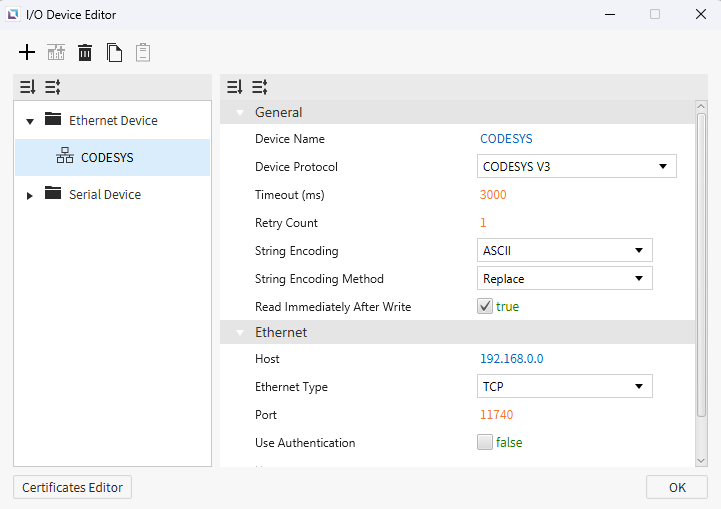
- CODESYS V3 (Ethernet Client): Supports communication with CODESYS V3 devices using XML import for streamlined tag mapping.
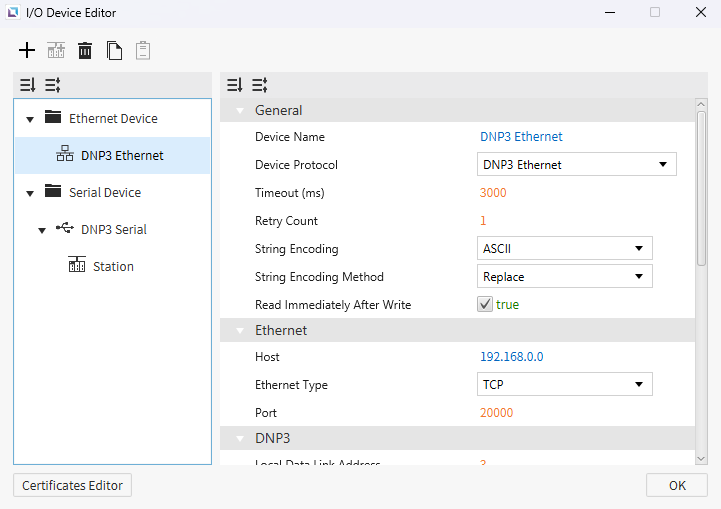
- DNP3 (Ethernet and Serial Clients): Adds secure, deterministic communication for utilities and critical infrastructure, including power and water applications.
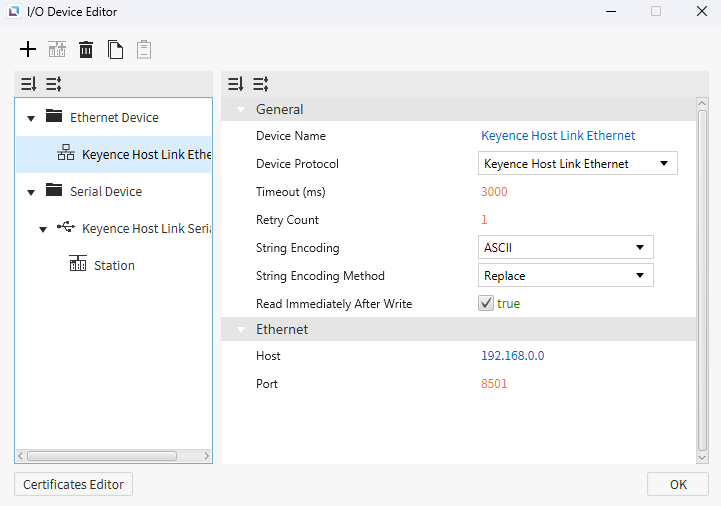
- Keyence Host Link (Ethernet and Serial Clients): Provides direct connectivity with Keyence PLCs.
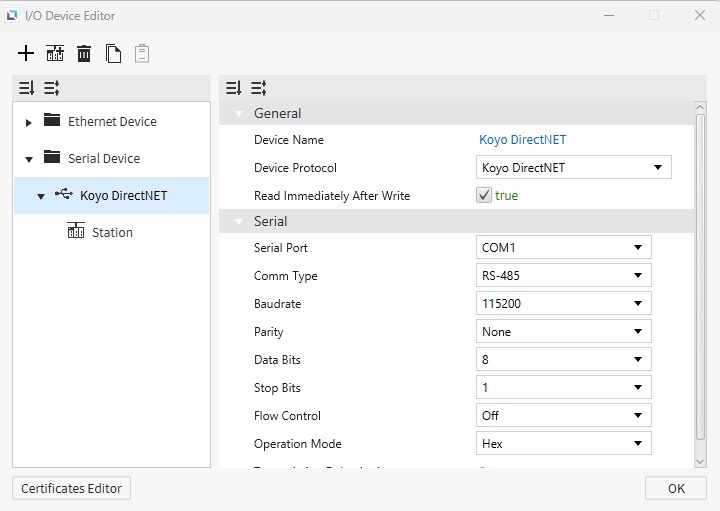
- Koyo DirectNET (Serial Client): Adds native support for AutomationDirect and Koyo serial-based controllers.
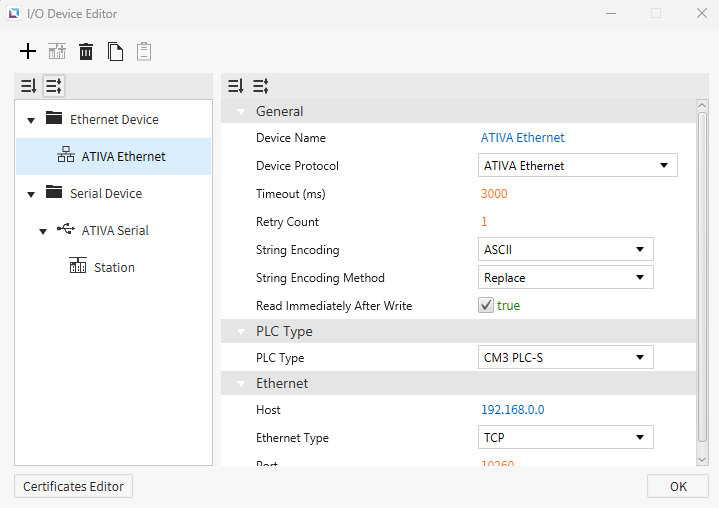
- ATIVA (Ethernet and Serial Clients): Introduces dedicated support for ATIVA PLCs.
2. A Modern HMI Design Experience
The engineering environment was completely refreshed to improve usability and design flexibility, with new graphical objects and workflow enhancements that streamline HMI development.
New Graphical and Interactive Controls:
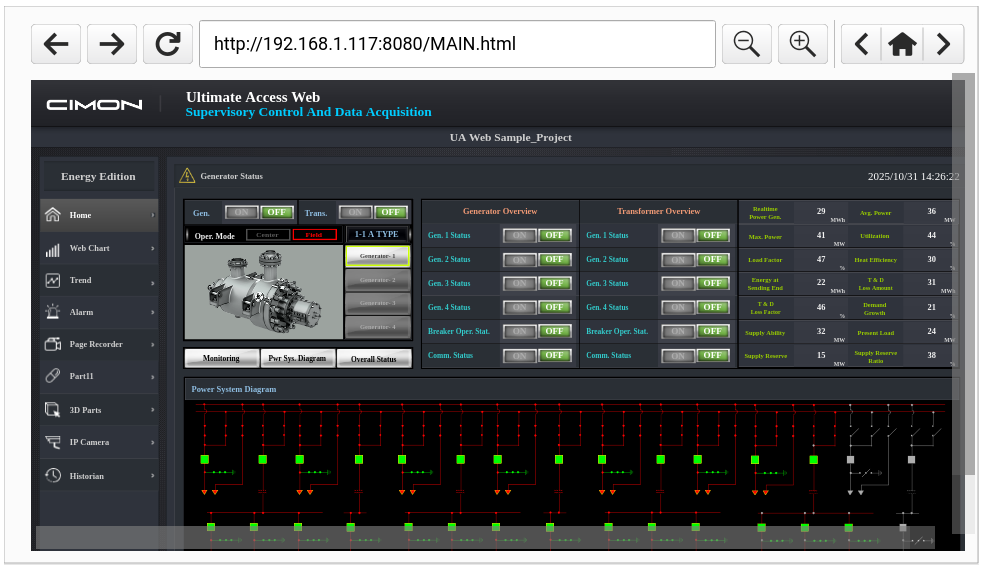
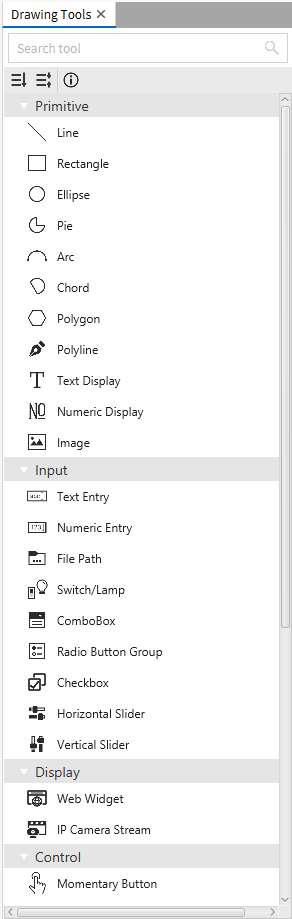
- Web Widget: Embeds a full web browser within the HMI runtime, allowing operators to view intranet dashboards, MES/ERP portals, and web-based documentation directly on the display.
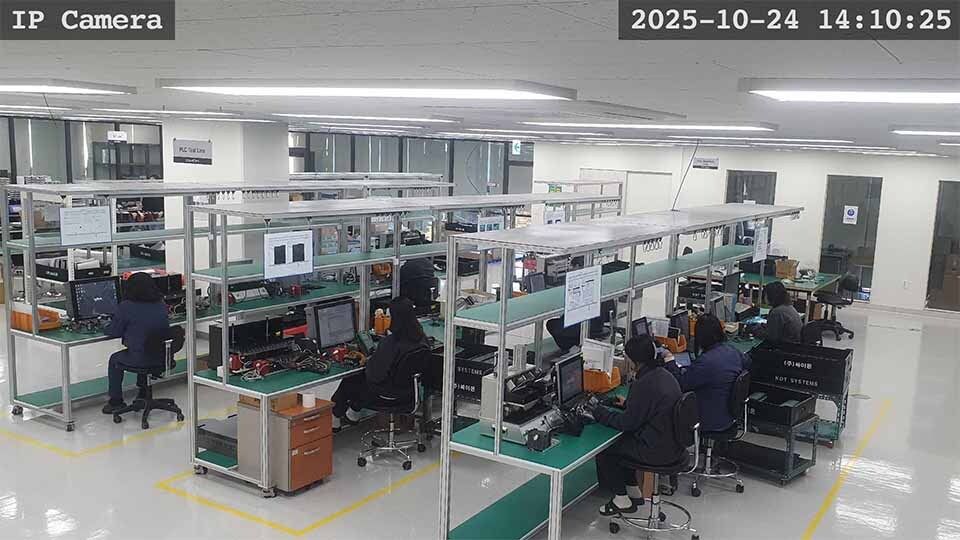
- IP Camera Stream: Enables real-time monitoring from IP cameras for visibility of production lines or remote assets.
- New Standard Objects: Includes modern Checkbox, Slider, and File Path objects for intuitive operator interfaces.
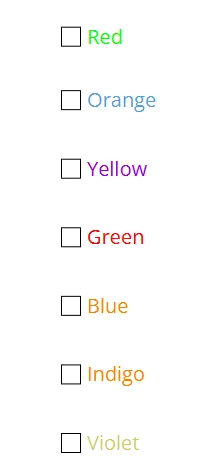


Engineering Workflow Enhancements:
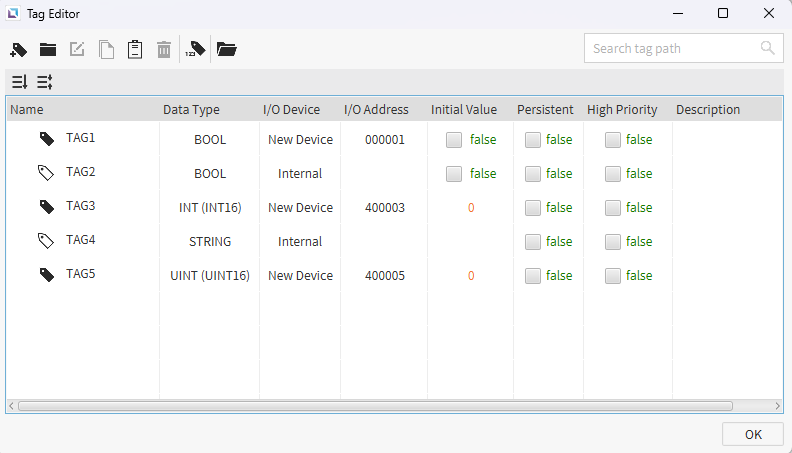
- Redesigned Tag Editor: A comprehensive new interface for tag creation, organization, and bulk editing.
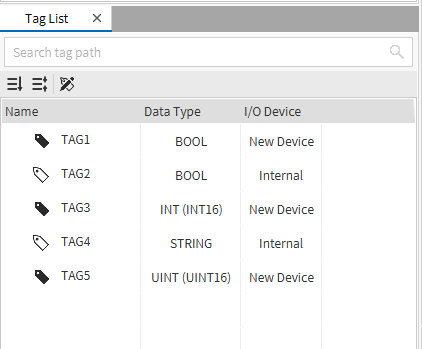
- Tag List: Replaces the legacy tag interface, supporting reordering and logical grouping of tags.
- Two-Column Docking: Allows simultaneous display of configuration panels, improving development efficiency.
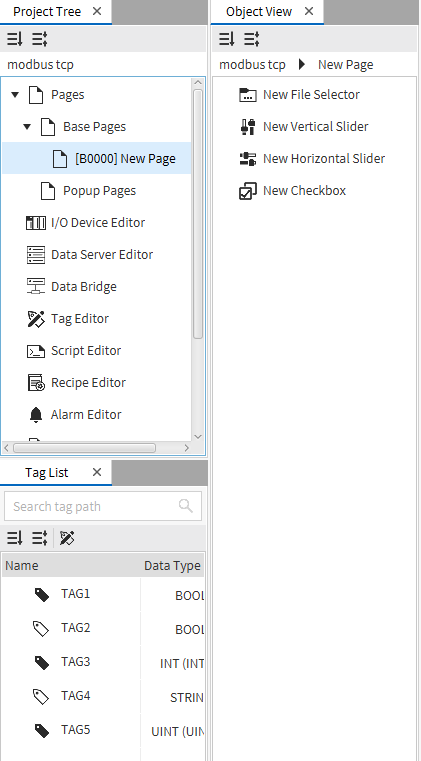
- Drawing Tools Pane: Consolidates all graphical objects into a single accessible pane for easier project design.
3. Robust System and Project Management
Version 5.0.0 also introduced several critical tools for managing and securing HMI projects throughout their lifecycle.
Project Management:
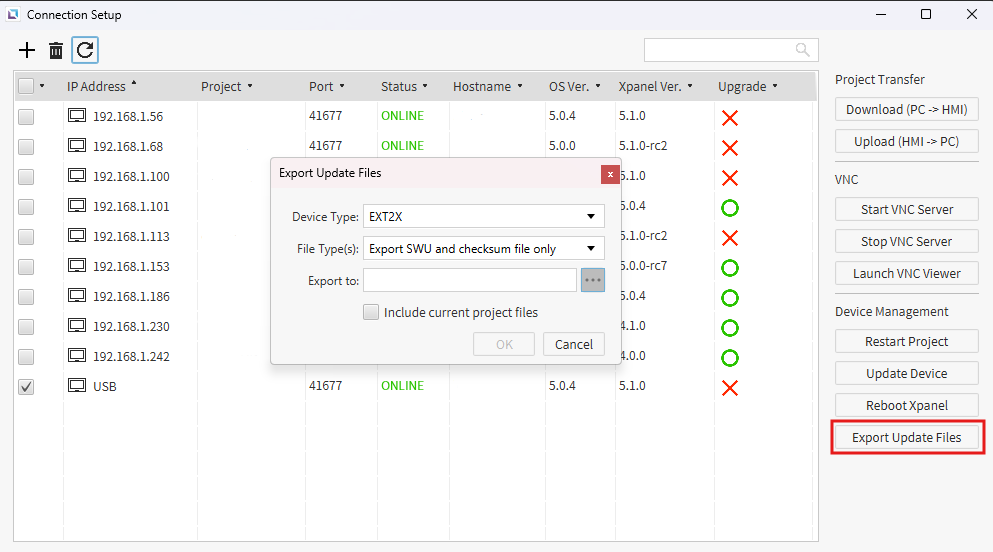
- Export HMI Update Files: Export all required firmware (SWU) and application update packages directly from Canvas, complete with checksum validation for data integrity.
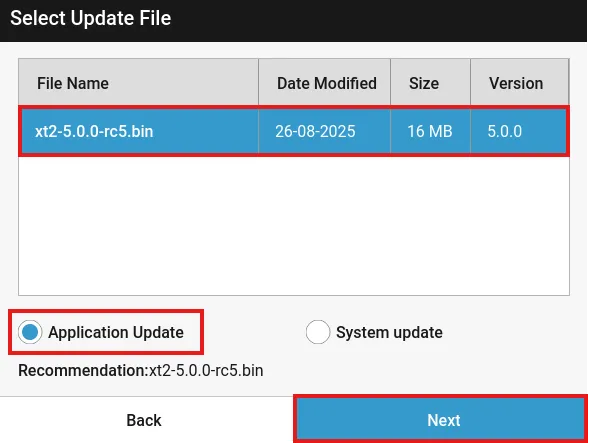
- In-Application HMI Upgrade: Seamlessly upgrade HMIs running 5.x runtimes directly within Canvas (for example, 5.0 to 5.1), reducing downtime and upgrade complexity.
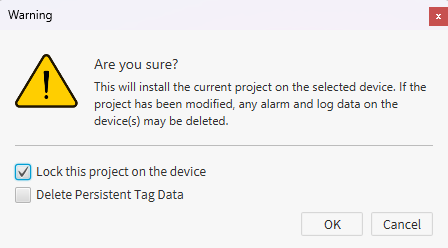
- Project Locking: Protects validated HMI configurations from unauthorized modification directly on the device.
System-Level Enhancements:
- NTP Server Integration: Ensures precise time synchronization across all devices, critical for accurate alarms and data logging.
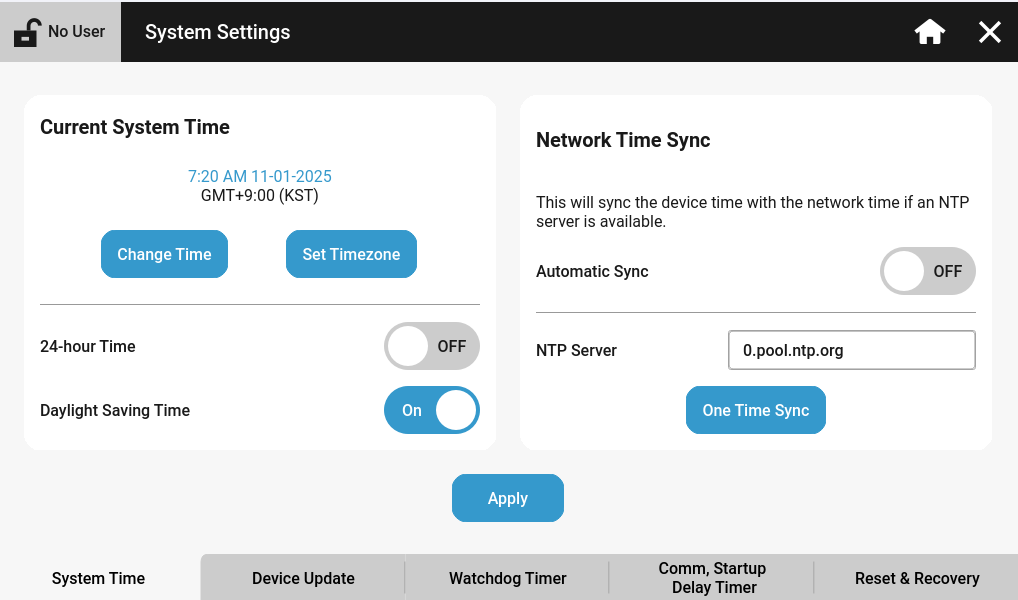
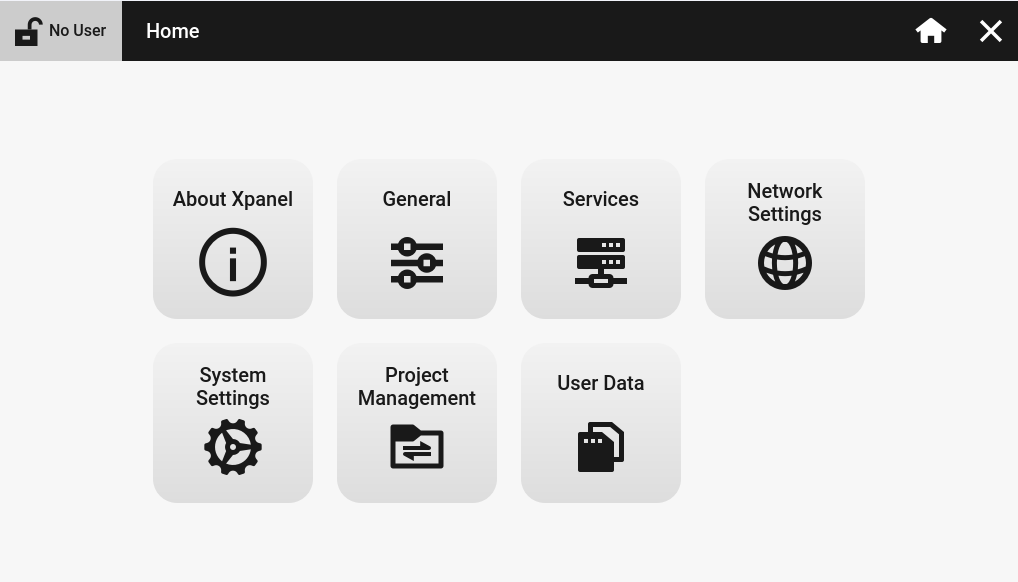
- Redesigned Settings Menu: A modernized runtime menu offering clearer navigation and deeper system visibility.
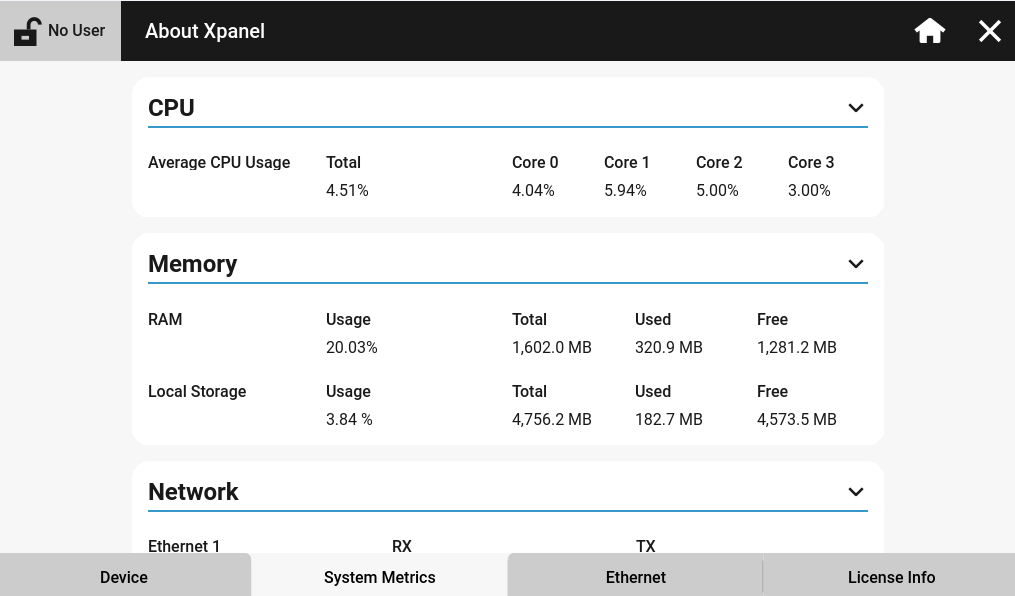
- System Metrics: Provides real-time CPU, memory, and network utilization data for performance diagnostics.
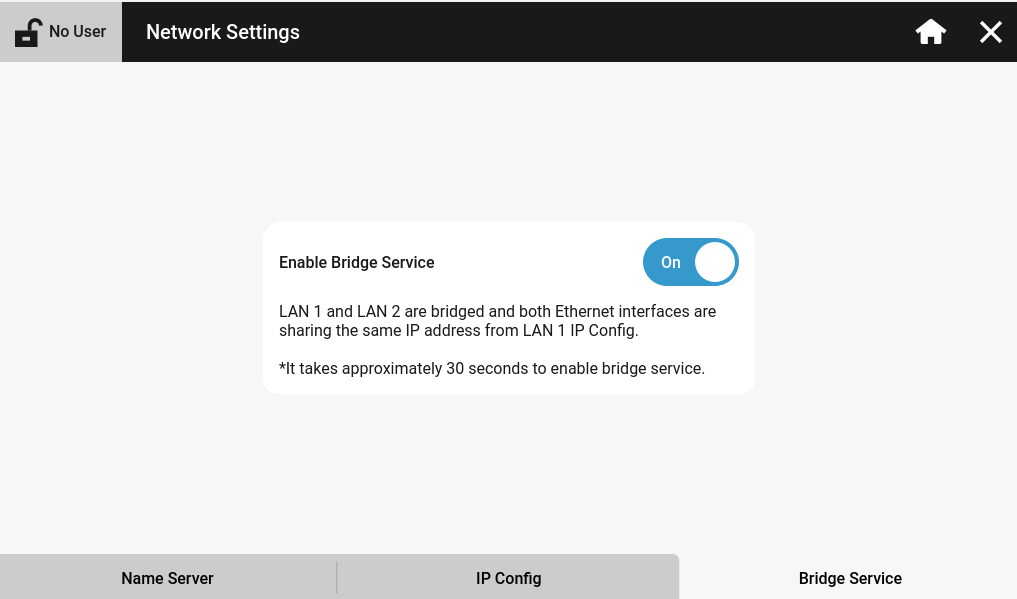
- Bridge Service: For dual-Ethernet HMIs, allows LAN 2 to share LAN 1’s IP address, simplifying segmented network configurations.
Part 2: Refinement and Expansion – Key Updates in 5.1.0
Building upon the strong foundation of 5.0.0, the Canvas 5.1.0 release focuses on refinement, performance optimization, and platform stability while introducing advanced customization capabilities.
1. Enhanced Communication and Driver Performance
New:
User-Defined Serial Protocol: A new User Protocol (Serial Client) driver empowers engineers to define custom serial communication structures. This flexibility allows Canvas to integrate with third-party devices, legacy systems, and bespoke serial equipment without requiring vendor-specific drivers.
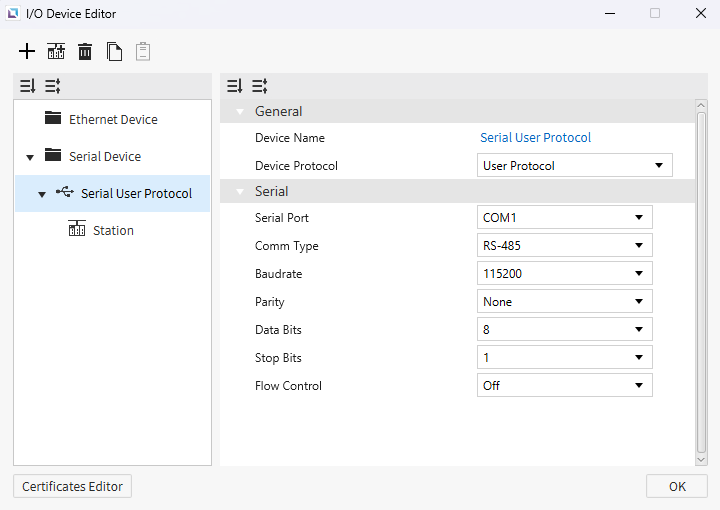
CODESYS V3 Driver Optimization: The CODESYS V3 driver has been significantly enhanced for large-scale projects:
- Higher Tag Count: Reliable performance with over 1,000 tags per device.
- Efficient Communication: Multi-tag read and write requests reduce packet overhead and increase throughput.
- Resilient Validation: Individual tag errors no longer interrupt communication for other valid tags within a grouped request.
2. Advanced Object Customization
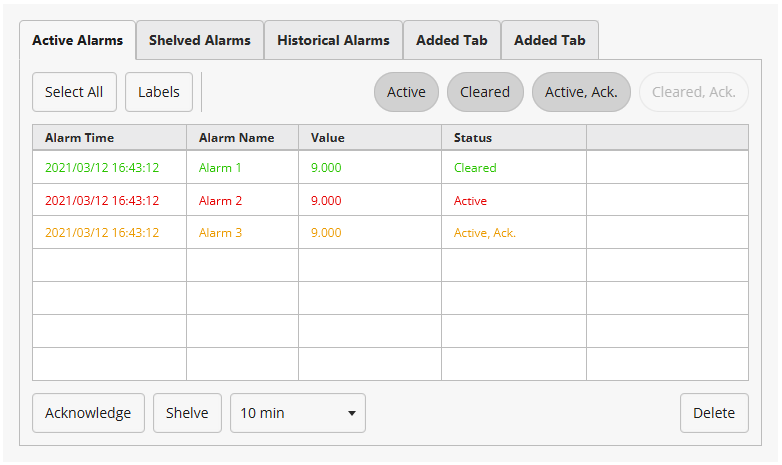
The Alarm Summary Object has received a substantial upgrade, offering developers greater flexibility for alarm display and management:
- Multi-Tab Support: Organize alarms across multiple tabs for improved operator visibility.
- Configurable Controls: Option to hide or disable elements such as the "Shelved" tab, "Shelve" button, or "Labels" button.
- Dynamic Alarm Naming: Bind the alarm name property to a string tag for fully dynamic runtime text.
3. Improved System Stability and Upgrade Process
SWU Update Enhancements: A new user interface guides operators through database management during firmware (SWU) upgrades, offering clear options for database conversion or deletion to maintain system integrity.
Our Commitment to the Canvas 5 Platform
At CIMON, we remain committed to continuously improving the Canvas HMI software and Xpanel HMIs. Both 5.0.0 and 5.1.0 include numerous bug fixes, performance optimizations, and UI refinements to deliver a more stable, reliable, and efficient experience.
The Canvas 5.x platform marks a new generation in industrial HMI technology, delivering the performance, flexibility, and security required for today’s connected automation environments.
To review the complete itemized list of features, fixes, and improvements, please visit the links below:
[View Full V 5.0.0 Change Log Here] [View Full V 5.1.0 Change Log Here]
Download the Latest Version
Version 5.1.1 introduces the newest optimizations and refinements to the Canvas 5 platform.
Get the latest, most stable version of the Canvas 5 platform.

