HMI
Software
Products
Posted on:
August 20, 2025Canvas 4.3.1 Release

1 minute read
Canvas 4.3.1 introduces new features, objects, scripts, and a redesigned user interface.
The changes and improvements to Canvas make project creation and maintenance easier for new and experienced users.
Notable Additions
- Data Bridge
Utilize your Xpanel as a data bridge between two devices. If one device cannot communicate directly with another, the Xpanel will serve as a middleman to bridge data communication.
- EDS File Export
You can now export explicit connections from an EtherNet/IP server directly to an EDS file, making it easier to share and configure device communication settings across platforms.
- Object View
Canvas 4.3.1 added the Object View pane. This pane displays all objects on the currently opened page.
- Toggle Button
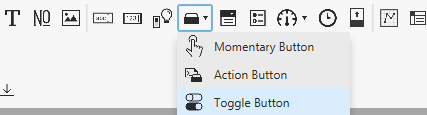
Canvas 4.3.1 introduces a new button: the Toggle Button. This button toggles a tag value between the active and inactive states.


- ComboBox
Another new feature in Canvas 4.3.1 is the ComboBox. The ComboBox object allows you to set and choose a variety of options. The selected option is tracked using an index value, which can be bound to a tag.
- Radio Button Group
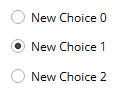
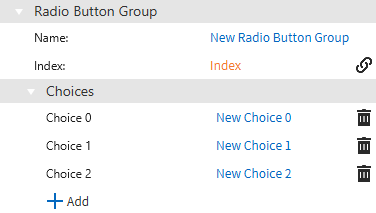
An alternative to the ComboBox is the Radio Button Group. This object inserts the different options with a radio button next to them. The index value can be tracked with a tag to see what option is selected.
- Standard and Advanced Views and Information Icon
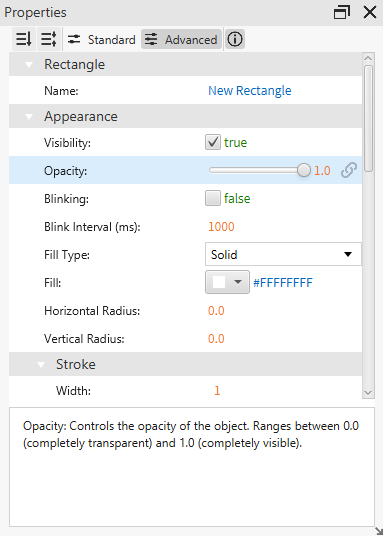
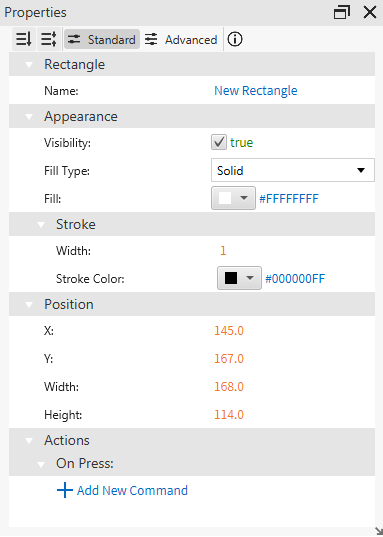
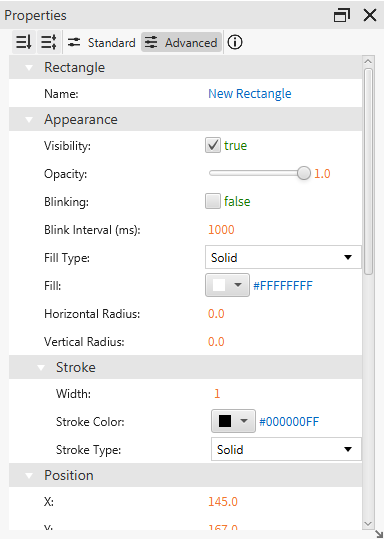
The Properties pane includes a standard and advanced view. Standard view displays minimal, but important, object properties. Advanced view displays all object properties.

The Properties pane also includes an information icon. When enabled, clicking on a property displays more information about its use.
- New Scripts
Canvas 4.3.1 introduces new scripts to be used in the Script Editor. These scripts are compatible with JavaScript ES5–the scripting language used in the Script Editor.
- system.display.brightness()
Returns a double value between 0 and 1 representing the Xpanel’s brightness level. - system.display.dimDelay()
Returns an int value, in minutes, representing the Xpanel’s dim delay time. - system.display.isDimmerEnabled()
Returns a boolean value if the dimmer setting on the Xpanel is enabled. - system.display.setBrightness(float brightness)
Sets the brightness level of the Xpanel’s screen. - system.display.setDimDelay(int minutes)
Sets the number of minutes before the Xpanel’s screen dims. - system.display.setDimEnabled(boolean enabled)
Enables or disables the Xpanel’s screen from dimming. - system.ftp.download(Object config, Storage type, String sourcePath, String targetPath)
Returns a boolean value if downloading the config from the FTP server was successful. - system.ftp.upload(Object config, Storage type, String sourcePath, String targetPath)
Returns a boolean value if uploading the config to the FTP server was successful. - system.staticBeep(boolean enable)
Plays a beeping sound from the built-in Xpanel buzzer. - tag.writeBatch(Array tagNames, Array tagValues)
Writes values to multiple tags at the same time.
- system.display.brightness()
- New Protocols, Driver Support, and Tag Importing
Canvas 4.3.1 introduces new protocols, drivers, and other vendor tag importing. These features allow for a wider range of communication with your favorite devices.
- BACnet/IP (Ethernet client)
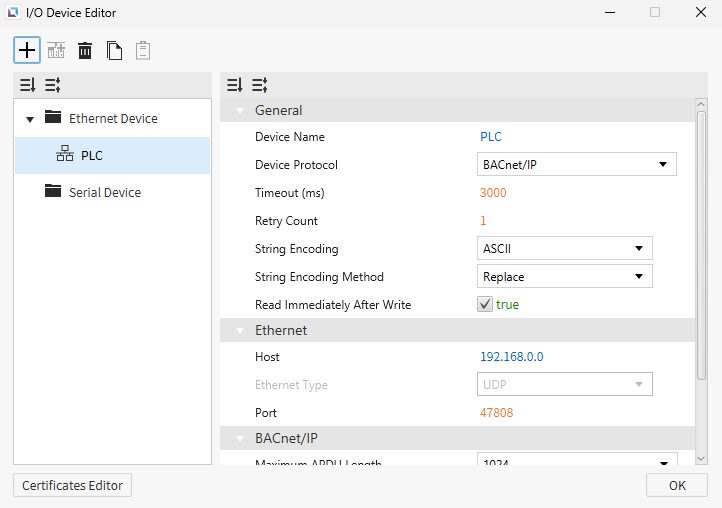
Canvas 4.3.1 now supports BACnet/IP, enabling seamless integration with a broader range of building automation and control devices. This addition makes Canvas more versatile and valuable for users managing smart building systems and complex device networks.
- BACnet/IP (Ethernet client)
- Siemens LOGO! Support
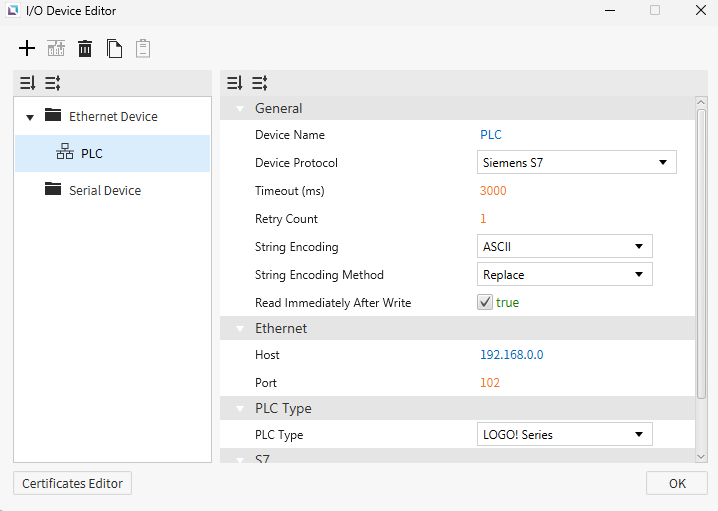
It is now possible to connect and communicate with Siemens LOGO! 0BA2 PLC series with the S7 protocol. Canvas also supports the “F” and “C” memory areas.
- Siemens LOGO! Support
- Tag Importing
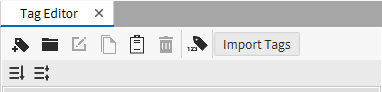
The powerful tag importing feature just got a lot more versatile. Canvas 4.3.1 now supports tag importing for Siemens devices using .db and .sdf files. Additionally, EDS files from EtherNet/IP (ODVA) clients are also supported with the tag import feature.
- Tag Importing
Redesigned Features
- Properties View
The object properties view has been redesigned to include a standard and advanced view. These options help reduce clutter for new users and organize advanced features for experienced users.
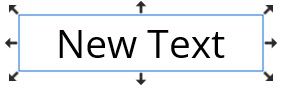
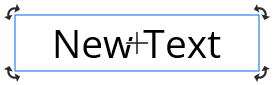
- Anchors
The size and rotational object anchors have been redesigned to simplify functionality. To toggle between the size and rotation anchors, click the object.
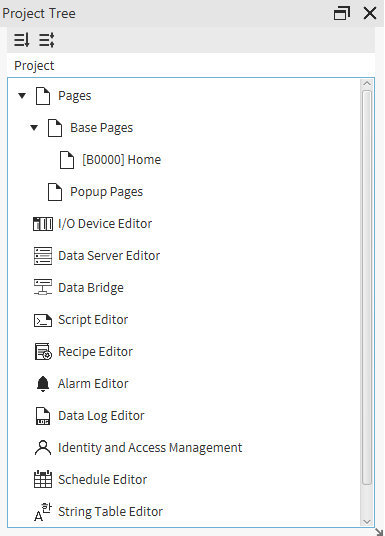
- Project Tree
The redesigned Project Tree pane includes options for opening the various Canvas editors. This lets you quickly access and edit existing functions such as alarms, recipes, scripts, etc.
- Command Editor
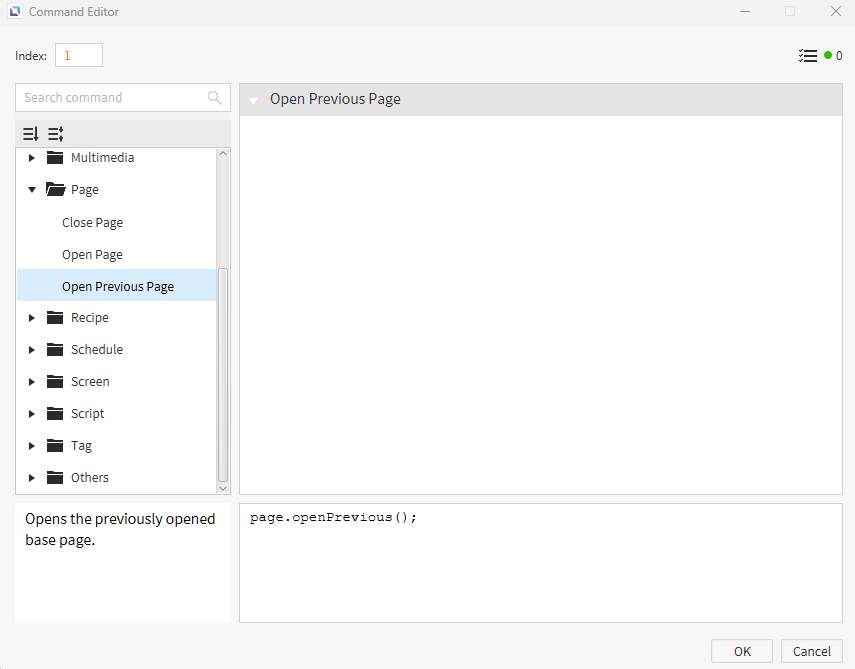
The Command Editor has experienced a massive overhaul. The new design is much more intuitive and easier to navigate. Each command includes a description of its use and a scripting example.
Changelog
Installing & Updating
Questions?
We'd love to hear your thoughts! If you have any questions about the release, please contact us at support@cimoninc.com.

