OT / IT
Posted on:
July 9, 2026Windows 10 support has ended. Here’s what that actually means on the plant floor.

8 minute read
If you follow IT news at all, you know Windows 10 reached end of support on October 14, 2025. Microsoft stopped shipping free security updates, feature updates, and technical support for the mainstream editions on that date.
What you’ve probably also noticed is that almost everything written about this deadline is written for IT departments and office PCs. The advice is some version of “run the PC Health Check tool, upgrade to Windows 11, buy new laptops if you have to.”
That advice doesn’t survive contact with a plant floor. The PC running your HMI client wasn’t bought on a three-year refresh cycle. It was commissioned with the line, it’s been running the same runtime for eight years, and the person who set it up may not work there anymore. Replacing it isn’t a purchase order. It’s a small project with downtime attached.
For what it’s worth, you’re not behind. Roughly a quarter of PCs worldwide were still running Windows 10 as of mid-2026, months after support ended. The office world hasn’t solved this either. But office machines get refreshed on a cycle and plant machines don’t, which is why the industrial version of this problem deserves its own answer.
This article covers what the Windows 10 deadline actually means for industrial PCs, HMI and SCADA client machines, historians, and engineering workstations, and how to work through it without panic buying or ignoring it entirely.
The date you heard about is not the date that applies to your machines
This is the single most misunderstood part of the transition. “Windows 10 end of support” isn’t one date. It depends entirely on which edition is installed, and industrial machines frequently run different editions than office PCs.
| Edition | End of support |
|---|---|
| Windows 10 Home / Pro / Enterprise (22H2) | October 14, 2025 (ended) |
| Windows 10 consumer ESU program | October 12, 2027 (extended by one year in June 2026) |
| Windows 10 commercial ESU program | Up to 3 years, purchased annually (through October 2028) |
| Windows 10 Enterprise / IoT Enterprise LTSC 2019 | January 9, 2029 |
| Windows 10 Enterprise LTSC 2021 | January 12, 2027 |
| Windows 10 IoT Enterprise LTSC 2021 | January 13, 2032 |
Windows 10 support end dates by edition, as of July 2026.
Two things stand out in that table.
First, the Extended Security Updates (ESU) program is a paid runway, not a fix. For businesses it starts at $61 per device in year one and the price doubles each year, roughly $427 per device over the full three years. It delivers security patches only. No feature updates, no technical support. It exists to buy planning time, and it gets expensive on purpose. Microsoft did quietly extend the consumer ESU program by a year in June 2026, moving its end date to October 12, 2027. Don’t read that as a reprieve for the plant: the consumer program excludes domain-joined and MDM-managed machines, which describes most plant floor PCs, and extensions announced without notice can end the same way.
Second, the IoT Enterprise LTSC edition runs to 2032. If your industrial PC or HMI shipped with Windows 10 IoT Enterprise LTSC, you may have years of supported runway left, not months. Many machine builders and IPC vendors ship exactly this edition for exactly this reason. Before you budget for replacements, check what’s actually installed. Open Settings, go to System, then About, and read the edition line. Do this for every Windows machine on the floor. Some of your “problem” machines may not be problems at all.
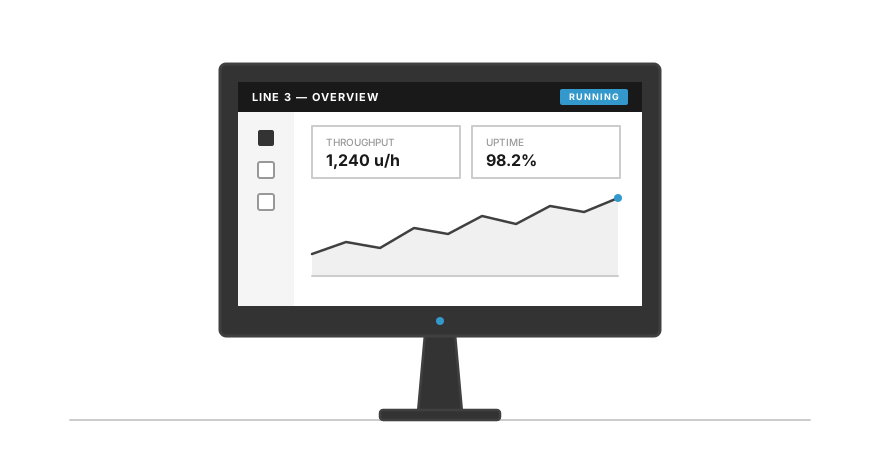
The machine nobody budgeted for: commissioned with the line, still running the original runtime.
Why the plant floor version of this problem is harder
An office PC that can’t run Windows 11 gets recycled and replaced in an afternoon. Plant floor machines carry three complications that office fleets don’t.
The application is the constraint, not the hardware. The HMI runtime, SCADA client, or historian on that machine was validated against a specific OS version. Moving to Windows 11 means confirming your visualization software vendor supports it, on that version of their software, which may itself be several versions old. And the license moves with more friction than the software: runtime licenses tied to a hardware fingerprint or a USB dongle need to be deactivated, transferred, or reissued, which means vendor involvement and sometimes fees. The OS migration can quietly turn into a software upgrade project with a licensing project attached.
“It’s not on the network” is doing a lot of work in your risk assessment. Plenty of plants treat unsupported Windows machines as acceptable because they’re isolated. Some genuinely are. Many are “isolated” except for the remote access tool someone installed in 2021, the USB port used for recipe transfers, and the maintenance laptop that bridges networks weekly. Once free patches stop, every new vulnerability discovered stays open permanently on those machines. Automated scanning tools don’t check whether a target is a marketing laptop or a line HMI.
Insurance and compliance are starting to care. Cyber insurance policies increasingly require that covered systems run supported, patched software. An unsupported OS on a production-critical machine is the kind of finding that shows up in audits and renewal questionnaires. This shifts the issue from an engineering preference to a business risk item, which also means it’s easier to get budget for than it used to be.
The Windows 11 hardware wall
The reason this transition is harder than the Windows 7 to 10 move is that Windows 11 raised the hardware floor. It requires TPM 2.0, Secure Boot, and a CPU from Microsoft’s supported list. These are security architecture decisions, not performance requirements. A ten-year-old industrial PC may run its HMI client perfectly and still be ineligible for Windows 11, because the motherboard predates the required trusted platform module.
This creates the frustrating middle category: machines that are functionally fine, ineligible for the free upgrade, and running an edition whose support has ended. Those machines have four honest paths. Enroll them in ESU and use the time to plan. Rebuild them on an LTSC edition if licensing and the application allow it. Segment and contain them: strict network isolation, application whitelisting, locked-down USB, and treat the machine as run-to-fail with a replacement already specced. Or replace the hardware now. The containment path is legitimate OT practice, but it only counts if the compensating controls actually exist and someone owns them. “We’ll firewall it eventually” is the fifth path, and it isn’t honest.
It’s also worth knowing where this leads. Windows 11 IoT Enterprise LTSC 2024 carries roughly a ten-year support window, into 2034. When you do replace hardware, the edition you land on determines whether you repeat this exercise in three years or in ten.
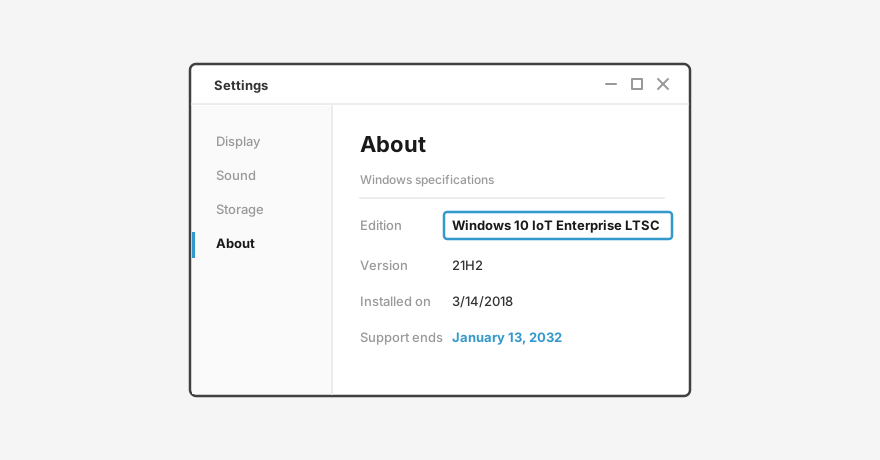
One line under Settings → System → About decides which date applies to the machine.
A working plan
You don’t need a digital transformation initiative for this. You need a spreadsheet and a few focused hours.
- Inventory every Windows machine on the floor. HMI clients, SCADA servers and clients, historians, engineering workstations, the forgotten PC in the electrical room running a label printer. Record the edition, version, and what application it exists to run.
- Sort into three buckets. Machines already on a long-support edition (IoT Enterprise LTSC): fine, note the date and move on. Machines eligible for Windows 11: schedule upgrades, gated on your software vendor confirming support. Machines that can’t upgrade: these are the real list.
- For the real list, decide per machine, not per fleet. A non-networked panel PC running one local display has a different risk profile than a SCADA client with plant network access. Spend ESU money and replacement budget where the exposure actually is, and use containment where it genuinely fits.
- Ask your software and hardware vendors two direct questions. Which OS versions does the current runtime officially support? And what OS ships on replacement hardware today? A vendor who can’t answer both quickly is telling you something useful about the support you’ll get mid-migration.
- Set your own deadline earlier than Microsoft’s. Whichever date applies to your machines, hardware lead times, commissioning windows, and production schedules push the real deadline months earlier. A rushed refresh is almost always more expensive than a planned one.
This will happen again
OS lifecycles are now part of automation planning, permanently. Windows 10 won’t be the last of these cliffs, and the plants that handled this one calmly are the ones that knew what was installed before the deadline forced the question. The audit you build this year is reusable. Keep it current and the 2032 version of this article will be someone else’s problem.
Where CIMON fits
If you’re working through this audit, here’s where CIMON products land in it. Our NB Series Industrial Box PCs and NP Series Industrial Panel PCs ship with Windows 11 IoT Enterprise by default, with Windows 11 Pro and Linux as options, so new hardware starts you on the long end of the support table above. Our current Xpanel HMIs (eXT, nXT, and eXT2 series) run Linux Yocto and aren’t tied to Windows lifecycle dates at all. If you want straight answers on OS support windows before you plan a migration, contact our US team.
Contact the US Team • Explore Industrial Box PCs • Explore Industrial Panel PCs
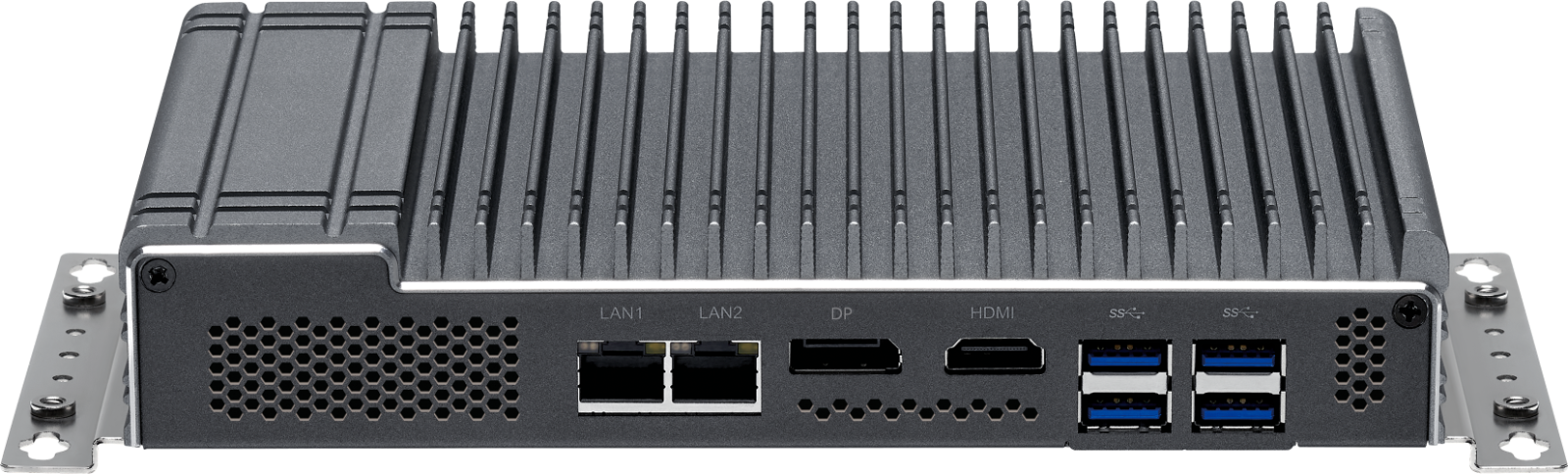
NB Series Industrial Box PC — Windows 11 IoT Enterprise by default.